Categories
Categories are used to group tasks in a more stable way and provide "default configuration." Categories differ from tags: categories tend to be fewer and more stable; tags are more flexible and fine-grained.
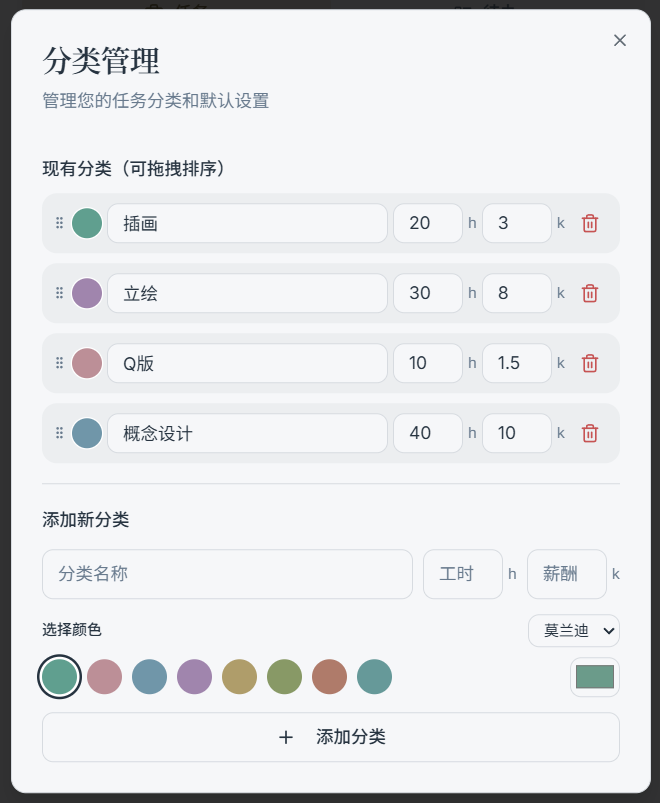
What Categories Are Used For
- Group tasks by broad type (e.g., Illustration / Live2D / Chibi / Character Art …)
- Determine task color (when color mode is set to "Category")
- Serve as the source of default values when creating a task:
- Default hours
- Default rate
- Preset nodes (workflow template)
How to Manage Categories
Common entry points:
- Click the category manager link next to "Category" in the New / Edit task dialog
- Settings → Category management (if your version provides this)
Recommended practices:
- Keep category names unique — having multiple categories with the same name will cause confusion in filtering and statistics
- Don't create too many categories (5–20 is usually enough); use tags for more granular dimensions