Calendar Widget & Backup/Restore (Tasks Page Right Panel)
The Tasks page can open a "Calendar Widget," letting you view the calendar and some statistics without leaving the task list.
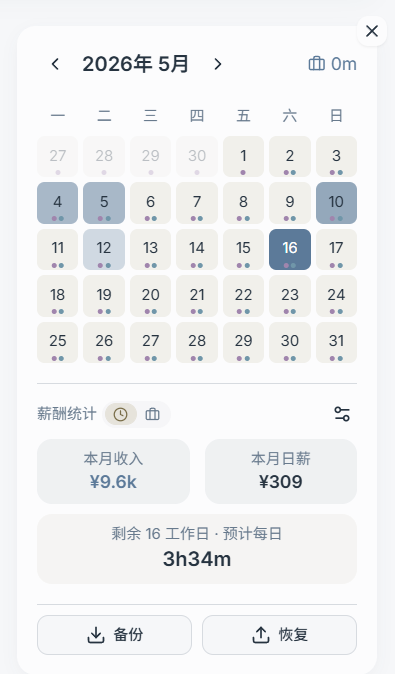
What the Calendar Widget Can Do
- Browse by month, quickly jump to a specific day
- View task hints and time log info for each day (if you have records)
- View summary cards related to hours / earnings (if enabled and configured)
Backup & Restore (Local Export / Import)
The bottom of the calendar widget typically provides:
- Backup: Export current local data as a JSON file (for manual saving)
- Restore: Import and restore local data from a JSON file
Notes:
- It is recommended to perform imports during periods when "data is stable and not being written from multiple devices simultaneously."
- After importing, verify that the task/todo count and key data match what you expect.
If you need "server-side automatic backup/restore," use the "Data Backup & Restore" page in the admin panel (this is a separate capability from local export/import).