Node Presets
Settings → Nodes is used to manage "node presets." Node presets let you quickly generate a set of commonly used nodes (workflow steps) when creating a task.
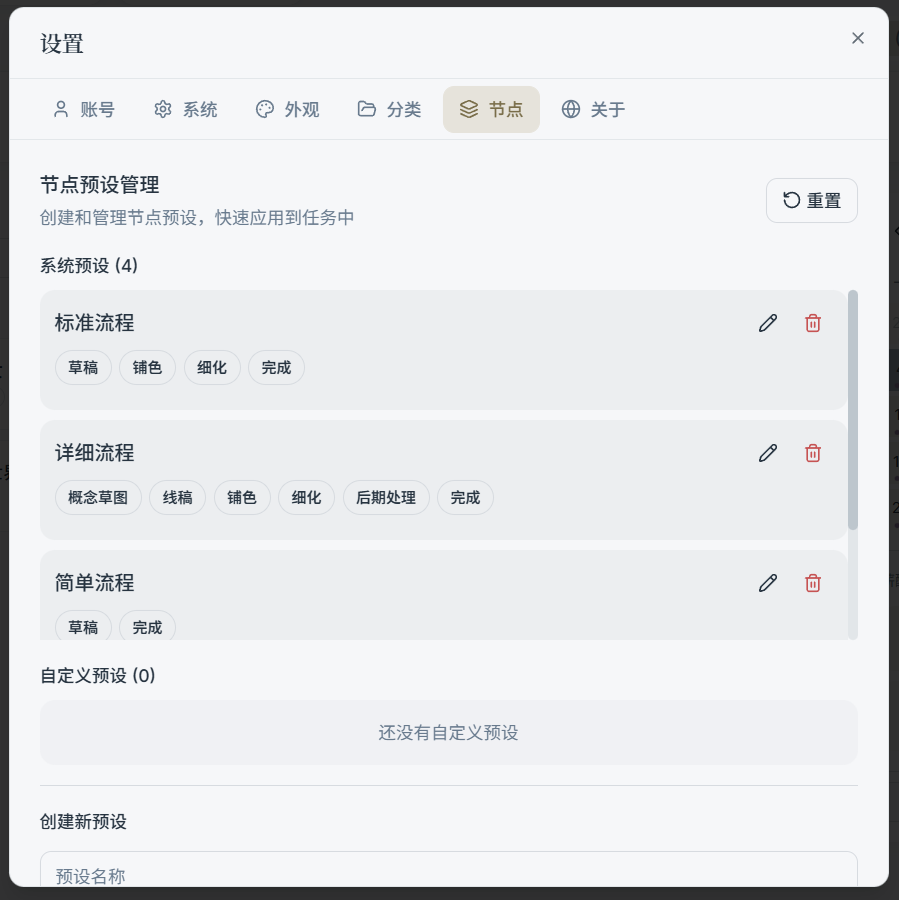
1) System Presets & Custom Presets
Presets are typically split into two sections:
- System presets: Common workflow templates built into the app
- Custom presets: Templates you create yourself
2) Editing a Preset (Name / Node List)
Common editing capabilities:
- Change the preset name
- Add nodes
- Delete nodes
- Drag to reorder nodes (adjust execution order)
3) Reset
"Reset" restores node presets to their default state (mainly useful when you've accidentally made a mess of the presets and want to return to the original templates).
Tip:
- Resetting only affects the presets themselves — it does not roll back tasks and nodes you've already created.