Category Settings
Settings → Categories is used to manage task category colors, sort order, and display preferences related to rates and currencies.
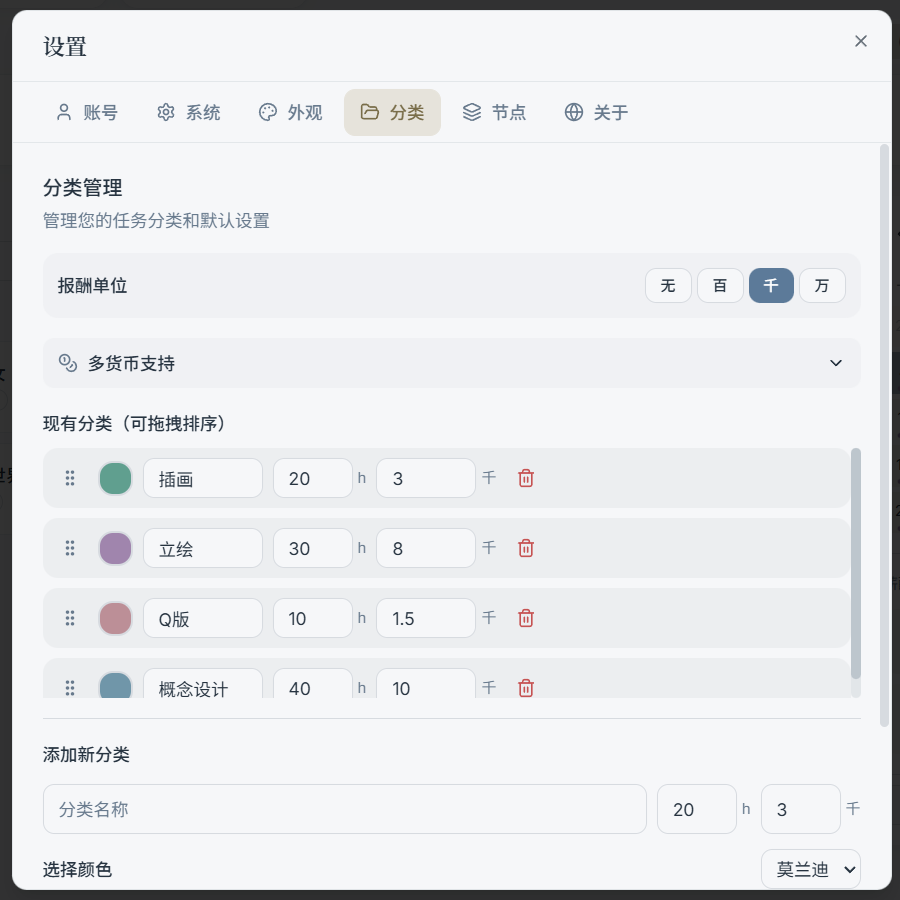
1) Rate Unit
Determines the unit shown for task amounts (e.g., ¥ / USD, etc., depending on your current configuration).
2) Multi-Currency Support (Optional)
If you have task amounts in multiple currencies, you can enable and configure:
- Default currency (exchange rate = 1)
- Other currencies and their conversion rates
Tip:
- This is a "display and conversion layer" setting; it is not intended to be used as a rigorous financial tool.
3) Category List: Sort Order & Colors
The category list supports:
- Drag to reorder: Affects the display order of categories throughout the app
- Set color: Category colors affect the visual indicators in task items, the dashboard, etc. (depends on your color display mode)
The color picker supports selecting colors from palettes (see "Palettes" in the Theme & Appearance section).