What is IlluTask
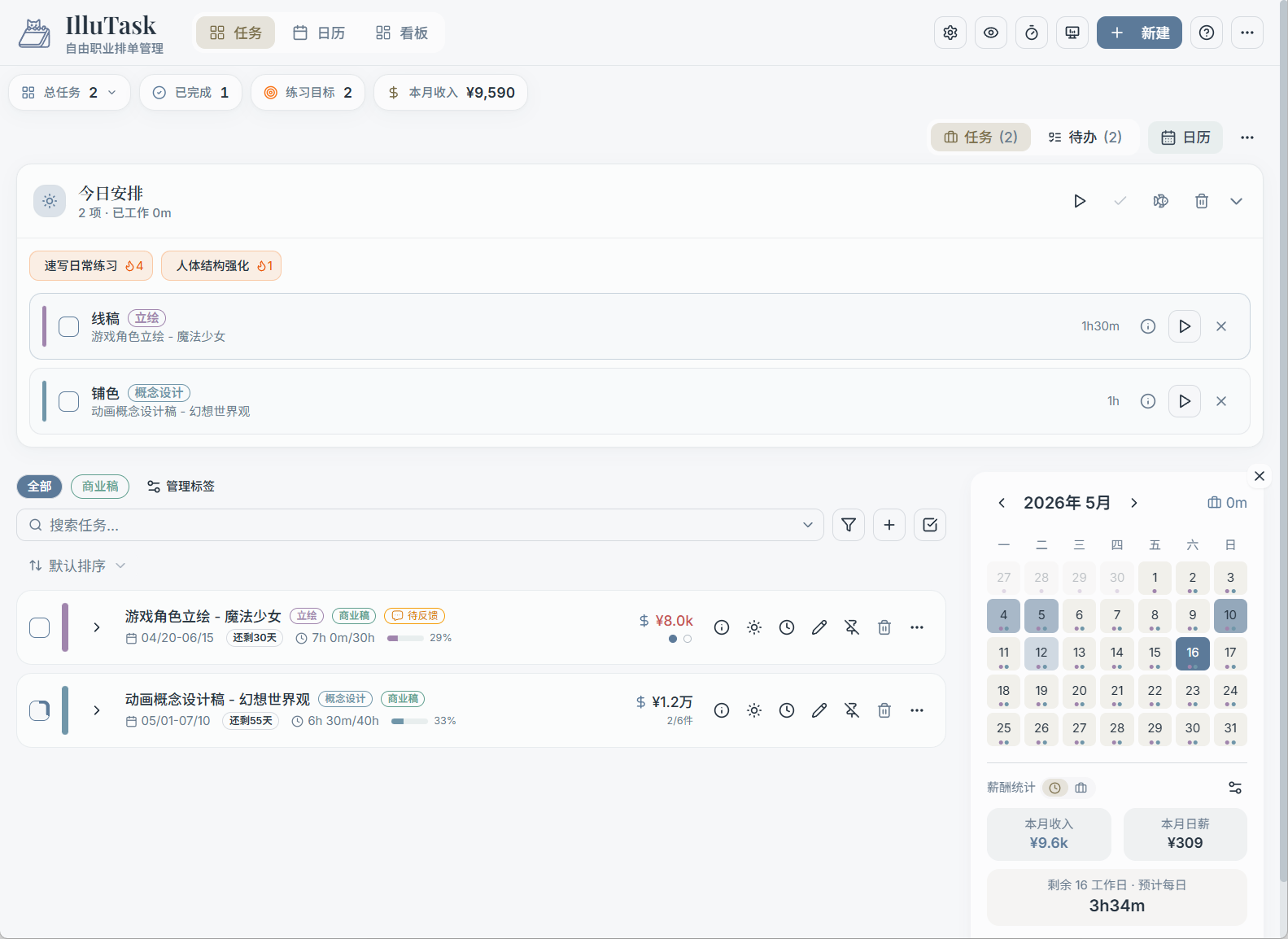
IlluTask is an all-in-one work management tool designed for freelance illustrators and creators. It brings task management, calendar scheduling, time tracking, and app usage statistics together in a single application.
What Problems Does It Solve
Freelance creators often juggle multiple projects at once and run into these pain points:
- Disorganized commissions: Multiple commissions in progress at the same time, with deadlines scattered across chat logs and sticky notes
- Hard to schedule: No clear picture of which part of which task to work on each day
- Vague work hours: No way to know how much time was actually spent on each project
- No visibility into productivity: No record of how long you spent in drawing or reference apps each day
IlluTask is designed specifically around these pain points.
Core Features
Tasks & To-Dos
Create each commission as a "task," set start and due dates, fees, and client info, then break it into specific phases — sketch, line art, coloring, and so on — using "milestones." Lightweight "to-dos" handle everyday miscellaneous items, with support for dates, recurrence rules, and subtasks.
Calendar Scheduling
Drag milestones onto specific dates in the calendar view to build a visual work plan. The calendar supports month, week, and multi-day views as well as a Gantt chart, making it easy to see multiple projects running in parallel.
→ Learn about Calendar & Scheduling
Time Tracking
The "Actual" column in the timeline records real work time: drag to create time blocks, or use the timer to log time automatically, linked precisely to task milestones.
App Usage Statistics
The desktop app automatically tracks how long you spend in each application. Combined with tag-based categorization, you can clearly see how much time each day goes toward "real work" versus distractions. App time can be converted into actual work hours with one click.
→ Learn about App Usage Statistics
Dashboard
Build your own workspace with widgets — today's to-dos, time progress bars, task lists, calendar... any combination you like, perfect for a quick overview before starting your day.
Who Is It For
- Freelance illustrators managing multiple commissions simultaneously
- Independent creators who need to track project progress and work hours
- Creative professionals who want insight into their own productivity
Next Steps
→ Quick Start: Learn how to get started with IlluTask's main features